)
Authoring Intranet Content with AI in M365
By Andy Peacock
Introduction: From Clunky to Cutting-Edge—SharePoint’s Authoring Evolution
For years, SharePoint was synonymous with complexity for content authors. Compared to ‘intranet in a box’ solutions, which promised plug-and-play simplicity, SharePoint’s reputation was often one of steep learning curves and unintuitive editing experiences. Many organisations found themselves investing in third-party platforms or custom development to make intranet authoring manageable.
However, with the arrival of Modern SharePoint, a few years back and Microsoft’s relentless roadmap of improvements, the platform has become far more intuitive and user-friendly. The editing experience now rivals, and in some cases surpasses, heavily customised intranet-in-a-box solutions, especially when paired with the latest AI and Copilot features. In this article we will be talking about some of the recent AI features Microsoft has released for SharePoint authoring. Authors can now create, edit, and publish content with unprecedented ease, leveraging AI to automate routine tasks, suggest layouts, and even generate content from meeting transcripts and documents.
Yet, it’s important to remain pragmatic. While AI and Copilot offer powerful new options, the speed and quality of content generation aren’t always a ‘no brainer.’ For fast adopters, the choice is there, but the traditional editing experience is now almost as fast as using AI—so the advantages, while real, are not absolute.
Step 1: Creating Pages and Sections with Copilot—Prompt, Template, and Source
The first major leap in SharePoint authoring is the ability to create pages using Copilot. Authors can start with a structured prompt or use Copilot’s suggestions, referencing recent meetings, documents, or even Loop components as source material. This flexibility means you can generate a first draft in multiple styles, complete with background images and layouts.
)
Step 2: FAQ Web Part—AI-Powered Q&A Creation
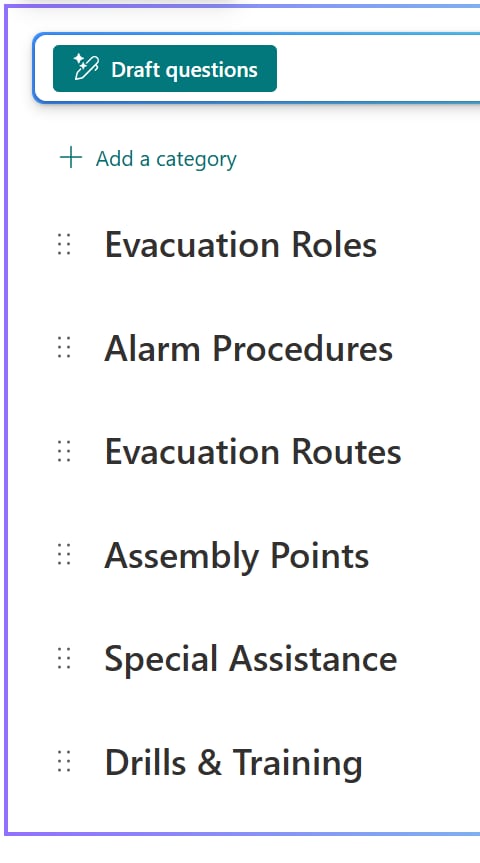
The new FAQ Web Part, powered by Copilot, streamlines the creation of frequently asked questions. It’s a three-step process: generate categories, draft questions, and then produce answers. You can edit at each stage, ensuring the output matches your needs.
Top Tips & Lessons Learned:
Step 3: Knowledge Agent—Optimising Content for AI Discovery
The Knowledge Agent is a recent addition that helps both end users and content owners. It helps end users summarise pages or find intranet content much faster than traditional ways of navigating or searching for it. For content owners, once enabled across intranet sites, it helps create and enrich metadata (e.g. tagging documents with owners, expiry dates, versions, etc), highlight inactive content, find broken links and optimise content for AI-powered search and recommendations. By making content ‘AI-ready,’ you ensure Copilot and other agents can surface the right information quickly.
)
Top Tips & Lessons Learned:
Conclusion: The Bottom Line for Fast Adopters
SharePoint’s transformation, driven by Modern UI, Copilot, and AI, has made intranet authoring more accessible and efficient than ever. For those eager to adopt new technology, the option to leverage AI is compelling, but the traditional editing experience remains highly competitive. The advantages of AI are real, but not yet overwhelming; thoughtful adoption, combined with robust governance and human oversight, is the key to maximising value.
As Microsoft continues to invest in SharePoint’s authoring experience, expect further improvements in speed, collaboration, and AI integration. For now, the best approach is to blend the strengths of both worlds—using AI where it adds value, and relying on the intuitive editing experience for everything else. No doubt those of you who are reading this in the following months or years after the date of publishing this, we will have seen a huge shift in capabilities, but for now, enjoy the new tech!